


Levitation
- Damian Olvera
- Mar 3, 2025
- 2 min read

Hello, after so much time of a break of posting I came back to post again and this time about levitation.
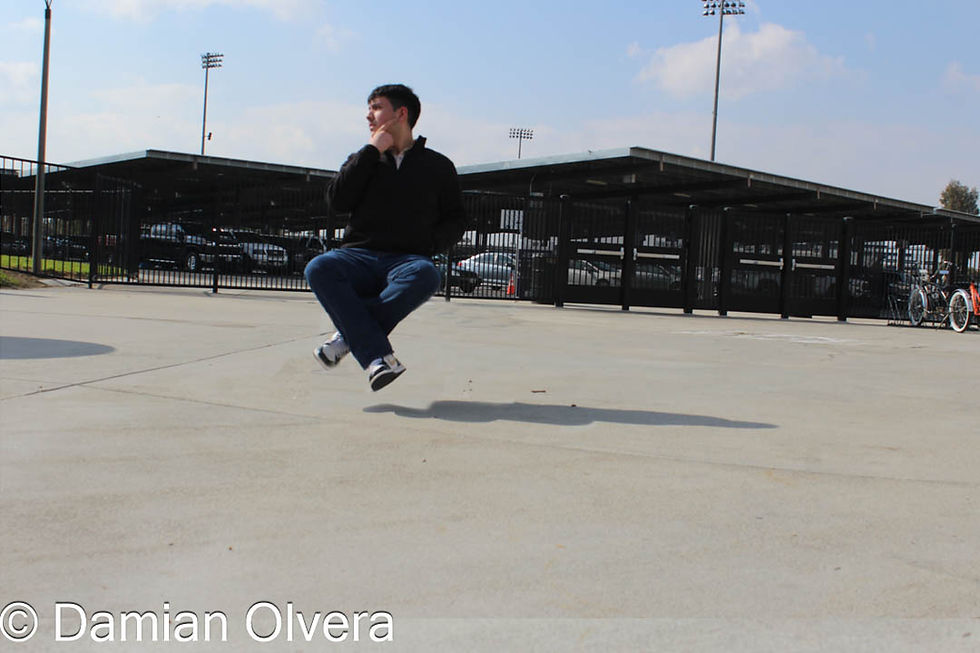
For the picture we use tripods in order to keep the camara in the same spot in order to both the background and the picture with the person to be in the same angle, but we also use a cannon 100 to capture the pictures.
We also use a chair as a prop to keep the person elevated in order to later delete it in photoshop and make the person seem that is floating.
what I consider in order to make the illusion of the person is the background and also shadows.
A background that goes beyond far from below the person helps by making it seen that there's nothing below the person.
The shadow can help if below the person isn't that convincing because it'll give more the illusion that the person is floating.


In this image we use the chair to elevate the person, but we also take a second picture of the background without the subject and then we combined them and try to remove the chair through photoshop.
This is the after of the image after we edited, the chair was removed and the shadow help by making it seen as if the person is floating in the air.
This image worked well because the position and the background are giving the illusion along with the shadow helping it more to take it a step further from seeing it floating in the air.
An improvement I could it done was to find a spot with a little lighter but also could find something to elevate the person a little more to make fly in the air and make it feel more natural.


Comments